




































































Installments
Minimum amount for installment is 500 L.E


| Months | Monthly installment | Overall Cost | |
| 12 | 66 EGP | 786 EGP | |
| 18 | 45 EGP | 814 EGP |
| Months | Monthly installment | Overall Cost | |
| 12 | 66 EGP | 794 EGP | |
| 18 | 46 EGP | 837 EGP | |
| 24 | 37 EGP | 877 EGP | |
| 36 | 26 EGP | 953 EGP |
| Months | Monthly installment | Overall Cost | |
| 6 | 117 EGP | 699 EGP | |
| 12 | 67 EGP | 800 EGP |
| Months | Monthly installment | Overall Cost | |
| 12 | 69 EGP | 828 EGP | |
| 18 | 49 EGP | 879 EGP | |
| 24 | 39 EGP | 937 EGP |
| Months | Monthly installment | Overall Cost | |
| 6 | 117 EGP | 699 EGP | |
| 12 | 59 EGP | 713 EGP | |
| 18 | 40 EGP | 713 EGP | |
| 24 | 30 EGP | 713 EGP | |
| 36 | 20 EGP | 713 EGP |
| Months | Monthly installment | Overall Cost | |
| 12 | 68 EGP | 814 EGP |
| Months | Monthly installment | Overall Cost | |
| 12 | 66 EGP | 790 EGP | |
| 18 | 45 EGP | 818 EGP | |
| 24 | 36 EGP | 856 EGP |
| Months | Monthly installment | Overall Cost | |
| 6 | 117 EGP | 699 EGP | |
| 9 | 87 EGP | 779 EGP | |
| 10 | 79 EGP | 786 EGP | |
| 12 | 67 EGP | 807 EGP | |
| 18 | 47 EGP | 841 EGP | |
| 36 | 26 EGP | 941 EGP |
| Months | Monthly installment | Overall Cost | |
| 12 | 68 EGP | 814 EGP | |
| 18 | 48 EGP | 863 EGP | |
| 24 | 38 EGP | 916 EGP |
| Months | Monthly installment | Overall Cost | |
| 6 | 117 EGP | 699 EGP | |
| 12 | 66 EGP | 786 EGP |
| Months | Monthly installment | Overall Cost | |
| 12 | 64 EGP | 769 EGP | |
| 24 | 33 EGP | 797 EGP |
- Stock: In Stock
Note : For cib installment from 12 to 36 month interest calculated by bank
'Check in-store availability
×This game is available in 1 stores and can also be delivered to your home with cash-on-delivery option.
Store Madinty
Shop G ground Floor All Season Park Mall Madinty- Egypt
Ready for Pick Up On: Today
Store Working Hours:
Saturday to Wednesday: 10:00 AM – 10:00 PM
Thursday & Friday: 10:00 AM – 12:00 Midnight
غير متاح حالياً
Warehouse Fifth Settlement
21 Hay 4 District 3 Fifth Settlement New Cairo - Egypt
Ready for Pick Up On: Today
Store Working Hours: Saturday to Thursday 9:00AM - 5:00PM
متاح في هذا الفرع
Store Arabella
Shop LL-10 beside Mahmoud El Far Market -Arabella Mall Fifth Settlement New Cairo - Egypt
Ready for Pick Up On: Today
Store Working Hours:
Saturday to Wednesday: 10:00 AM – 11:00 PM
Thursday & Friday: 10:00 AM – 12:00 Midnight
غير متاح حالياً
Store Mall Of Arab
Shop G285 Near Gate 23 - Mall of Arabia 6 October City - Egypt
Ready for Pick Up On: Today
Store Working Hours:
Saturday to Wednesday: 10:00 AM – 11:00 PM
Thursday & Friday: 10:00 AM – 12:00 Midnight
غير متاح حالياً
More from this brand


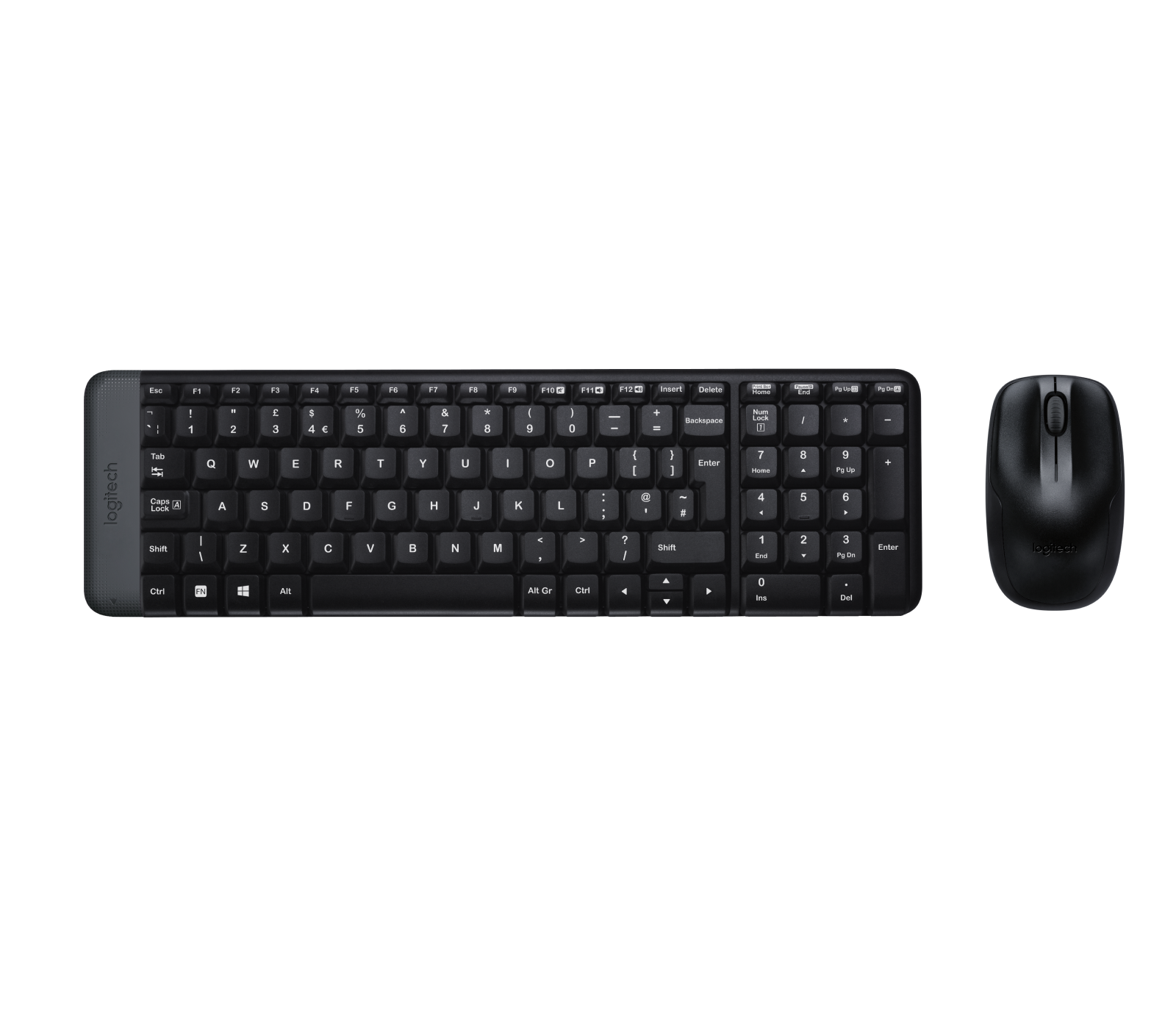
Logitech MK220 Wireless Keyboard & Mouse Combo – Black – Arabic/English Layout
Description
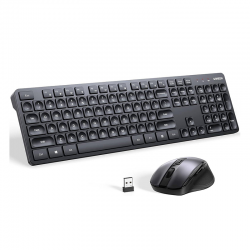
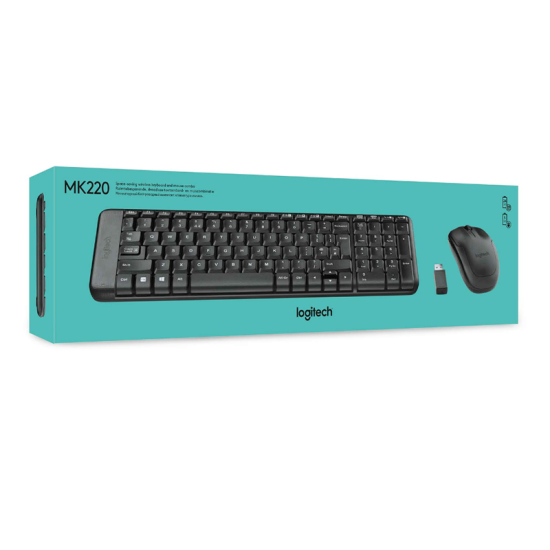
The Logitech MK220 Wireless Combo – Black – ARA is a compact wireless keyboard and mouse set designed for everyday home, office, and productivity use. The ARA version features Arabic and English characters, making it suitable for bilingual typing.
The MK220 uses a single 2.4GHz USB wireless receiver for both the keyboard and mouse, providing a wireless operating range of approximately 10 meters. Its compact keyboard retains a full numeric keypad while taking up less desk space than a conventional full-size keyboard.
Key Features
Compact Wireless Keyboard
- Space-saving keyboard design
- Arabic & English key layout
- Dedicated numeric keypad
- Deep-profile keys
- Multimedia hotkeys
- Spill-resistant construction
- Up to 5 million keystrokes
- Designed for home and office productivity
Reliable 2.4GHz Wireless
- 2.4GHz wireless connection
- Single USB receiver for keyboard and mouse
- Wireless range up to approximately 10 meters
- Plug-and-play operation
- No Bluetooth pairing required
- Helps reduce desktop cable clutter
Compact Optical Mouse
- Smooth optical tracking
- Up to 1000 DPI
- 3-button design
- Left and right click
- Clickable scroll wheel
- Line-by-line scrolling
- Ambidextrous shape
- Suitable for right- and left-handed users
Arabic & English Layout
The ARA version is designed for bilingual users and features both:
- Arabic Characters
- English Characters
- Standard number row
- Numeric keypad
- Function keys
- Multimedia shortcuts
This makes the MK220 suitable for users who regularly switch between Arabic and English typing.
Multimedia Hotkeys
The MK220 keyboard provides convenient function shortcuts including:
- Mute
- Volume Down
- Volume Up
- Print Screen
- Pause / Break
- Context Menu
- Scroll Lock
Spill-Resistant Keyboard
The keyboard features a spill-resistant design intended to provide additional protection against minor accidental liquid spills.
Logitech specifies testing under limited conditions with up to 60 ml of liquid. The keyboard should not be immersed in liquid.
Specifications
- Brand: Logitech
- Series: MK
- Model: MK220
- Product Type: Wireless Keyboard & Mouse Combo
- Color: Black
- Keyboard Layout: Arabic & English
- Connectivity: 2.4GHz Wireless
- Bluetooth: No
- Receiver: USB Wireless Receiver
- Wireless Range: Up to 10 m
- Keyboard Type: Deep-Profile
- Numeric Keypad: Yes
- Multimedia Controls: Yes
- Spill Resistant: Yes
- Keyboard Durability: Up to 5 Million Keystrokes
- Mouse Sensor: Smooth Optical Tracking
- Mouse Resolution: Up to 1000 DPI
- Mouse Buttons: 3
- Scroll Wheel: Yes
- Mouse Orientation: Ambidextrous
Keyboard Dimensions
- Length: Approximately 380–381 mm
- Width: 112 mm
- Height: Approximately 18–19 mm
- Weight: Approximately 320 g
Despite including a numeric keypad, the MK220 is designed to occupy less desktop space than a conventional full-size keyboard.
Mouse Dimensions
- Length: 107 mm
- Width: 60 mm
- Height: 40 mm
- Weight: Approximately 112 g
The compact symmetrical shape is suitable for both left- and right-handed everyday use.
Battery Life
The MK220 is designed for extended wireless operation with replaceable batteries.
Keyboard
- Powered by 2 × AAA batteries
- Up to 24 months battery life
Mouse
Battery-life specifications vary between MK220 revisions and regional documentation. Logitech's technical support documentation for the MK220 lists up to 5 months, while newer Logitech product material lists longer mouse battery life for some versions.
Actual battery life varies depending on usage and operating conditions.
Plug & Play Setup
Setting up the MK220 is straightforward:
- Insert the included USB receiver into your computer.
- Ensure the supplied batteries are installed.
- Start using the keyboard and mouse.
Both devices communicate through the same receiver, so only one USB port is required.
Compatibility
The current MK220 product specification lists compatibility with:
- Windows 10
- Windows 11 or later
- ChromeOS
- Compatible computers with an available USB port
What's in the Box
- Logitech MK220 Wireless Keyboard – Arabic/English
- Logitech Wireless Optical Mouse
- USB Wireless Receiver
- Keyboard Batteries
- Mouse Batteries
- User Documentation
Best For
- Home & Office Use
- Arabic & English Typing
- Everyday Productivity
- School & University
- Desktop Computers
- Windows PCs
- Small Workspaces
- Data Entry
- Web Browsing
Why Choose the Logitech MK220?
- The compact keyboard retains a numeric keypad, providing full everyday functionality while saving desk space.
- The Arabic and English ARA layout is convenient for bilingual users.
- A single 2.4GHz USB receiver connects both the keyboard and mouse with a wireless range of up to approximately 10 meters.
- The keyboard provides multimedia shortcuts for frequently used audio and system functions.
- Spill-resistant construction provides additional protection against minor everyday accidents.
- The included mouse provides smooth optical tracking, line-by-line scrolling, and an ambidextrous design suitable for everyday computing.
- Long keyboard battery life and simple plug-and-play operation make the MK220 a practical, low-maintenance wireless combo