










































































- Model: Digital Card
- Cashback: 9 EGP
- Stock: Out Of Stock
Note : For cib installment from 12 to 36 month interest calculated by bank
Check in-store availability
×This game is available in 0 stores and can also be delivered to your home with cash-on-delivery option.
Store Madinty
Shop G ground Floor All Season Park Mall Madinty- Egypt
Ready for Pick Up On: Today
Store Working Hours:
Saturday to Wednesday: 10:00 AM – 10:00 PM
Thursday & Friday: 10:00 AM – 12:00 Midnight
Warehouse Fifth Settlement
21 Hay 4 District 3 Fifth Settlement New Cairo - Egypt
Ready for Pick Up On: Tomorrow
Store Working Hours: Saturday to Thursday 9:00AM - 5:00PM
Store Fifth Settlement
Shop LL-10 beside Mahmoud El Far Market -Arabella Mall Fifth Settlement New Cairo - Egypt
Ready for Pick Up On: Today
Store Working Hours: Every day from 11:00 AM to 11:00 PM
Store Mall Of Arab
Shop G285 Near Gate 23 - Mall of Arabia 6 October City - Egypt
Ready for Pick Up On: Today
Store Working Hours: Every day from 10:00 AM to 10:00 PM
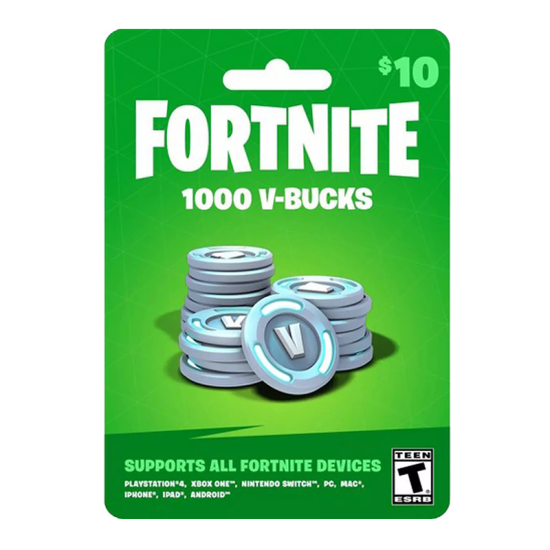
With this Fortnite Epic Computer code you'll get 1000 Fortnite V-Bucks. This in-game currency can be spent in both the Battle Royale PvP mode and the Save the World PvE campaign. In Battle Royale you can purchase new customization items for your Hero, glider, or pickaxe. In Save the World you can purchase Llama Pinata card packs that contain weapon, trap and gadget schematics as well as new Heroes and more! Note: Items do not transfer between the Battle Royale mode and the Save the World campaign.
Notes:
- Be sure to sign in to the account that is linked to your Epic account.
- The account must be US only
- Enter the code and your V-Bucks will be added to your account.
- This product is non-returnable and non-refundable.
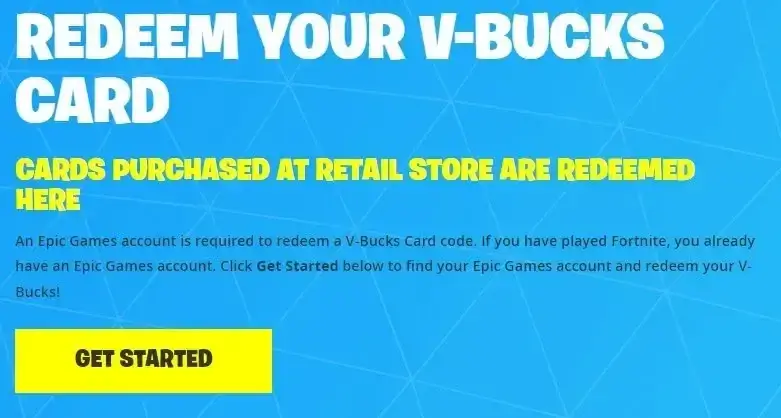
How do I redeem my V-Bucks card?
Go to www.epicgames.com/fortnite and login to your Epic Games account.
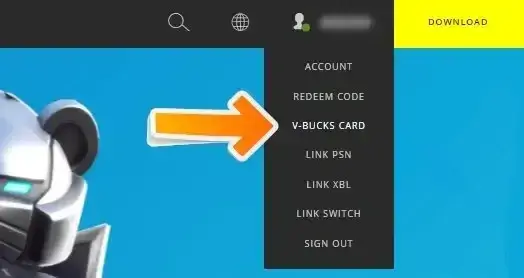
Hover over your name in the top right corner, and then click V-Bucks Card.
- Click Get Started to begin the redemption process.
- Enter your PIN code.
- Click Next.
- Select the platform you want to redeem the V-Bucks Card on, and then click Next.
Note:
- If you don’t see the platform you want to redeem your card on, make sure you’re logged into the correct Epic Games account.
- Review the details and make sure the Epic account, device, and new balance are all correct, and then click Confirm